 GitBunki
Available now on the Mac App Store.
GitBunki 1.0 is out.
One-time purchase, yours forever!
No subscription.

$29.99 · one-time purchase · macOS 26 Tahoe or later
Git, with a hop .
A full Git client that gets out of your way. Native SwiftUI, inspired by the late, great GitX. Stage down to the line, walk and blame history, rebase and merge with intent: branches, tags, stashes, and remotes, all a click away.
Want to follow along? Leave your email and we'll write when we have updates.
Only new releases and product updates. Unsubscribe anytime.
- Built with
- SwiftUI
- Requires
- macOS 26+
- Sends to cloud
- Nothing
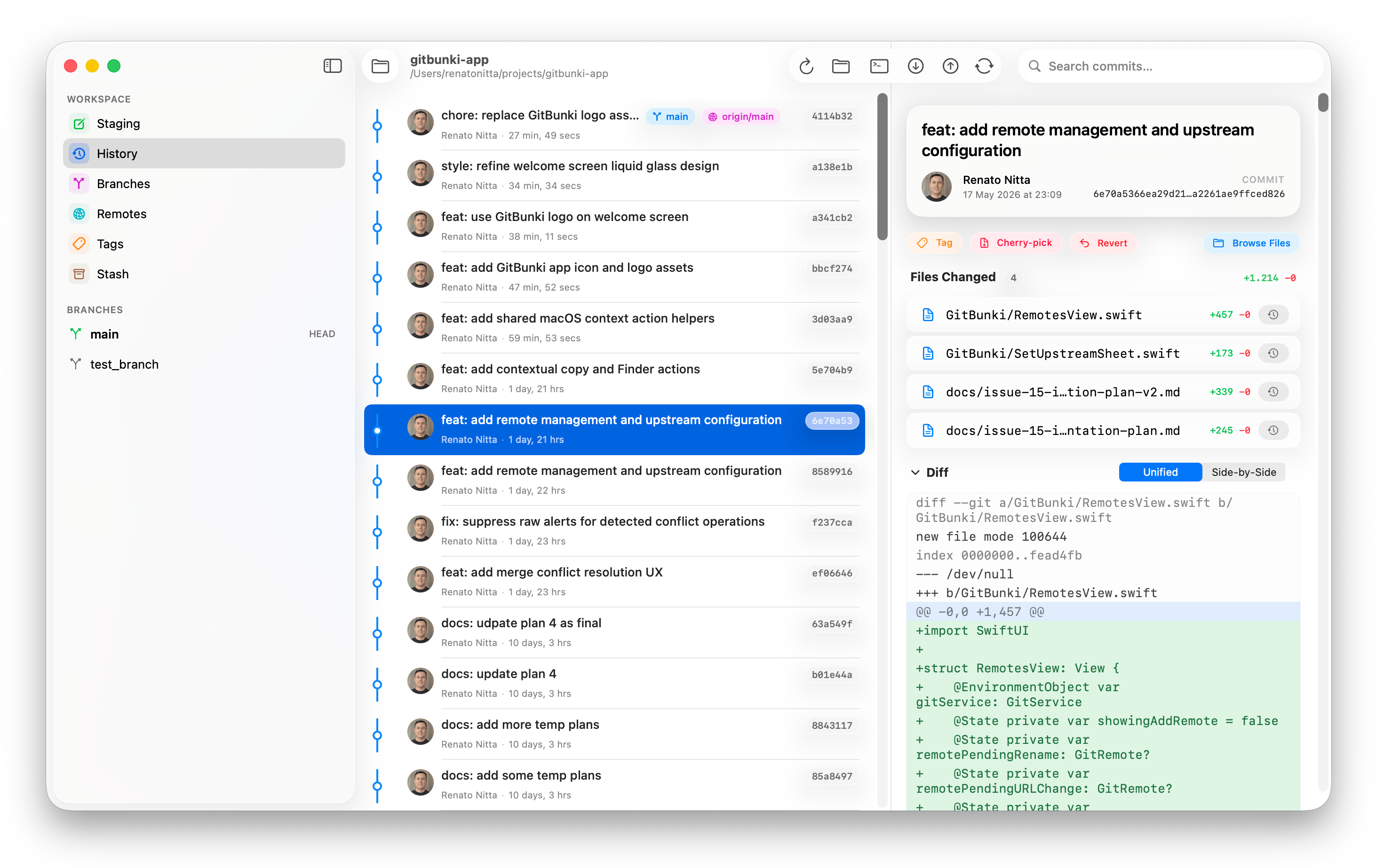
Every move, mapped.
A full commit log with a lane-based graph, so you can see the merges, the divergence, the long-lived feature branch nobody mentioned. Branch and tag badges land on the rows they belong to.
- Search commits by message, author, or SHA
- Gravatar avatars (with initials fallback)
- Right-click for cherry-pick, revert, reset, interactive rebase
- Open the working file's history straight from the commit detail
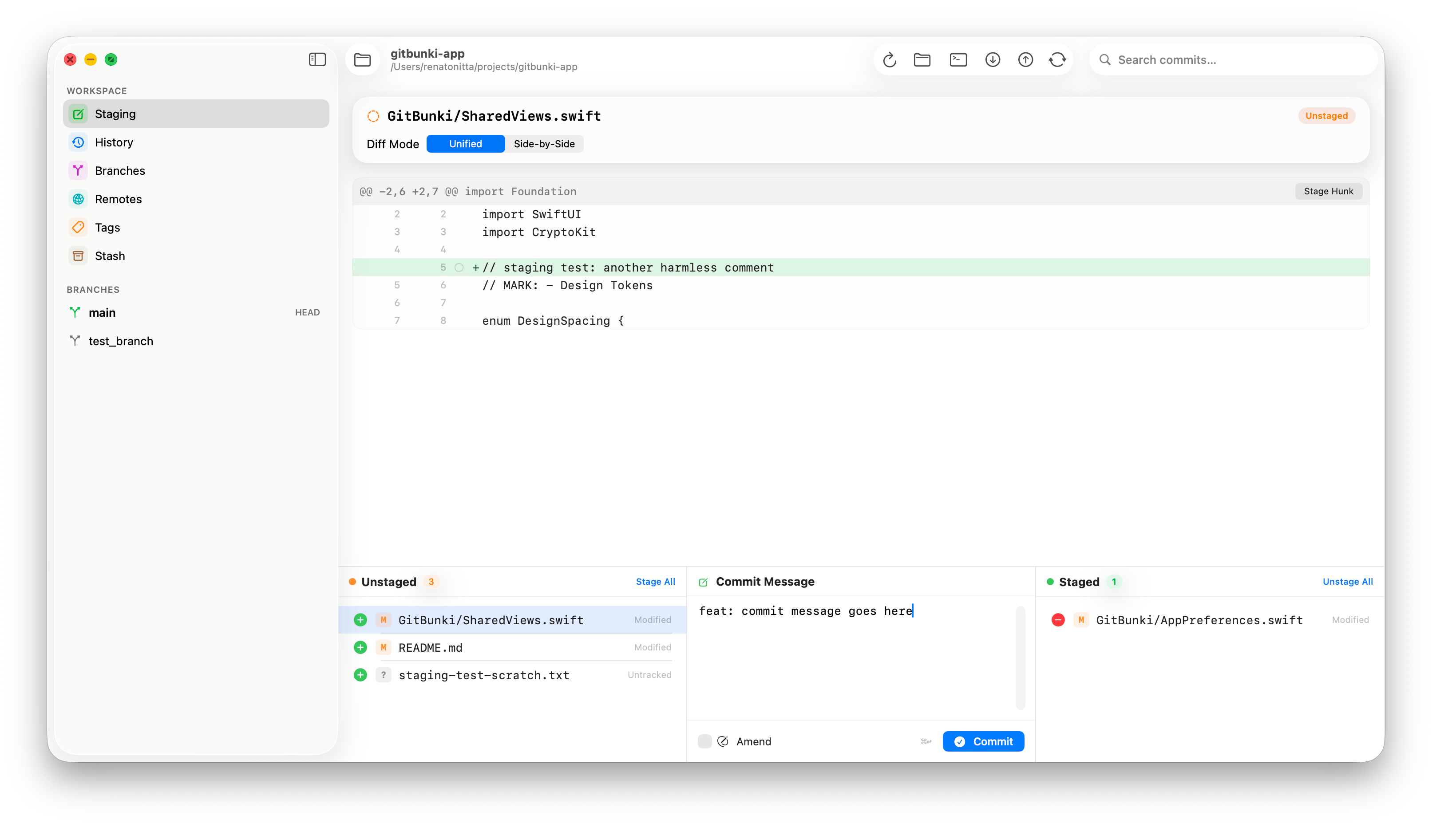
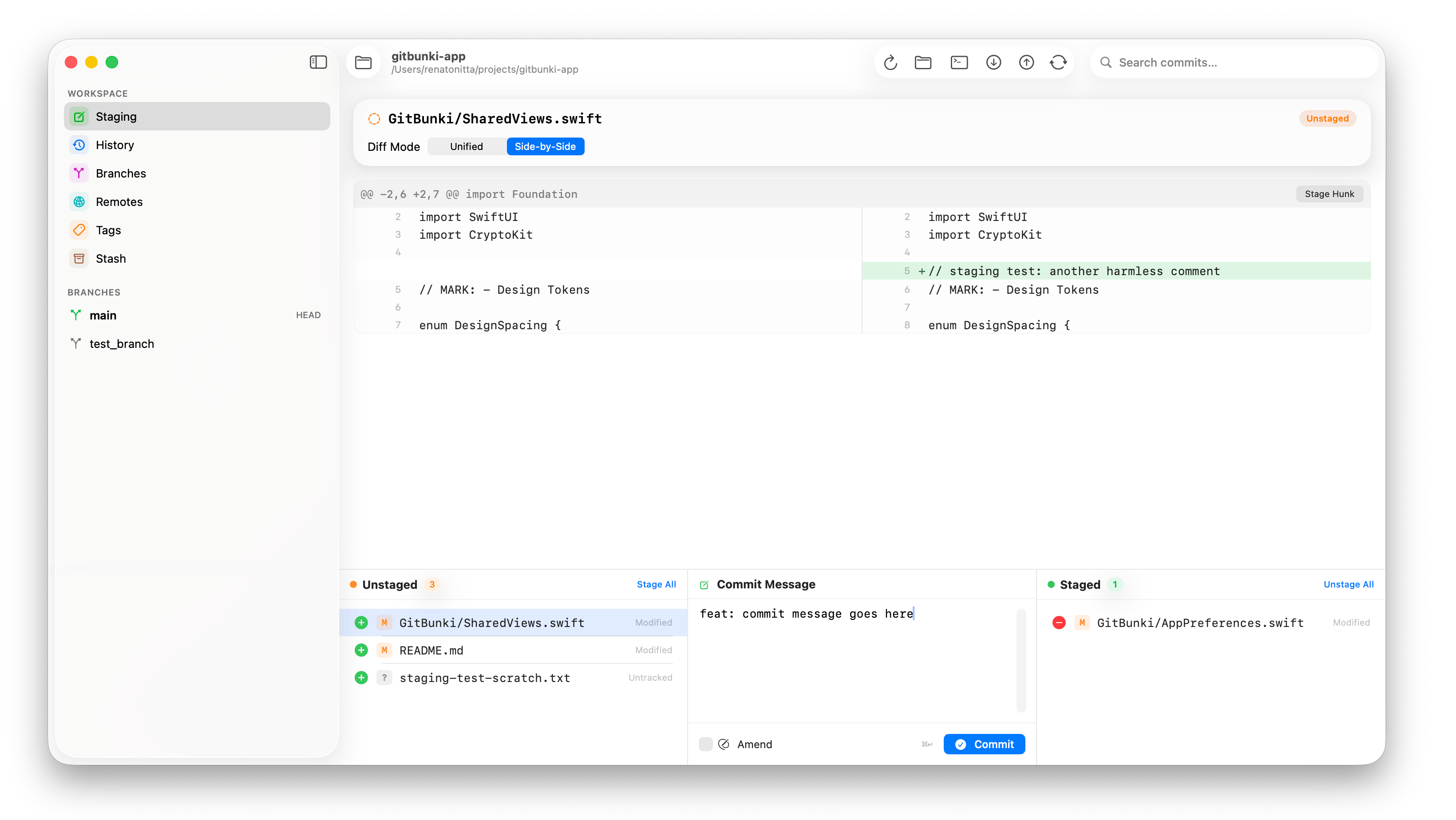
Stage hunks.
Or lines. Or words.
GitX's three-column layout, modernized. Diff on top, unstaged / commit message / staged on the bottom. Click a hunk to stage it. Shift-click a range of lines and stage just those. Amend the last commit without dropping to the terminal.
Everything git can do.
Without the cliff.
Branches, tags, stashes, remotes, blame, file history. Each one gets a contextual right-hand panel with the actions that actually matter.
Track, merge, rebase
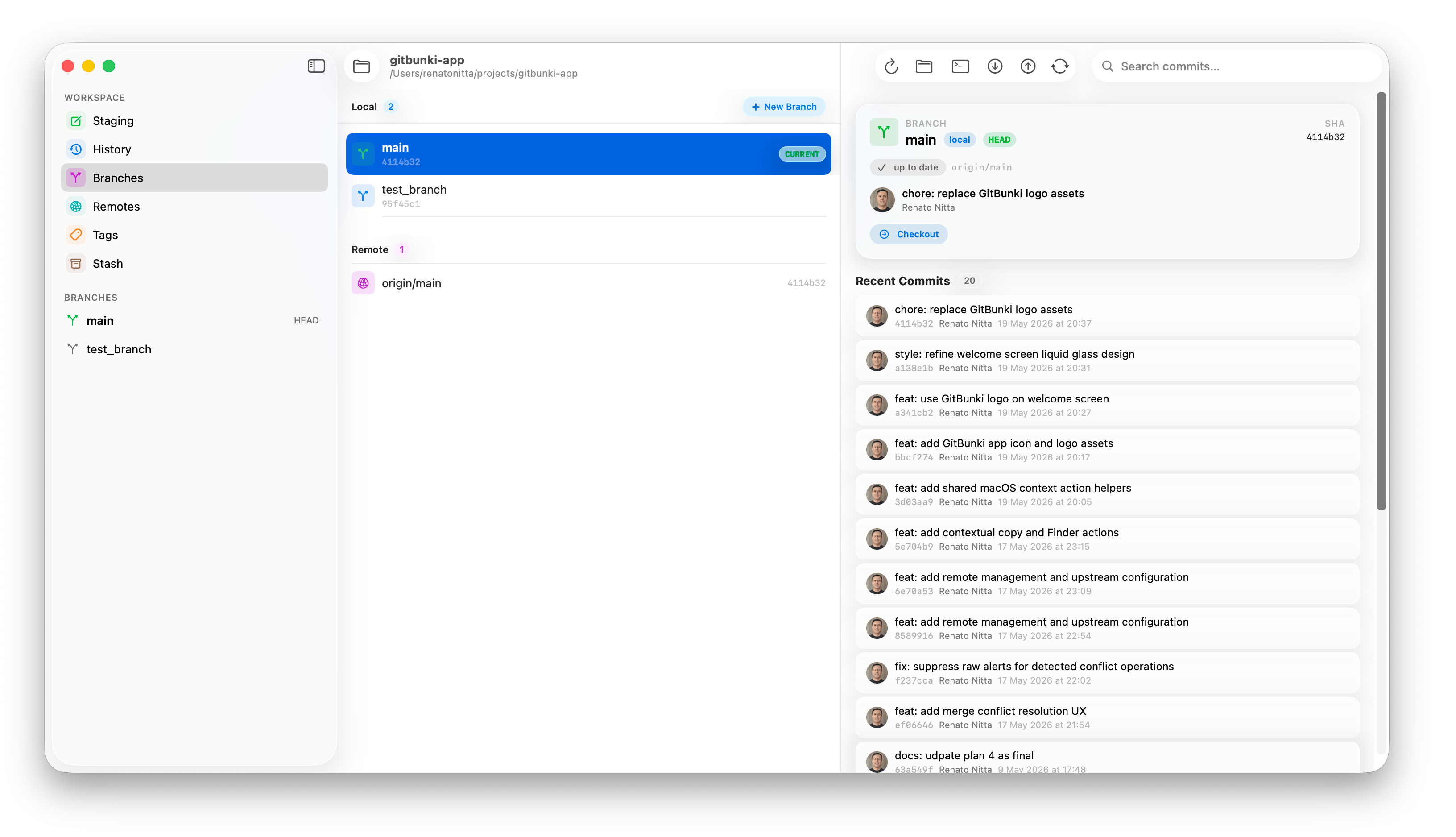
Local + remote branches with ahead/behind chips, upstream-gone detection, recent-commits with inline diffs, and one-click merge or rebase.
Lightweight or annotated
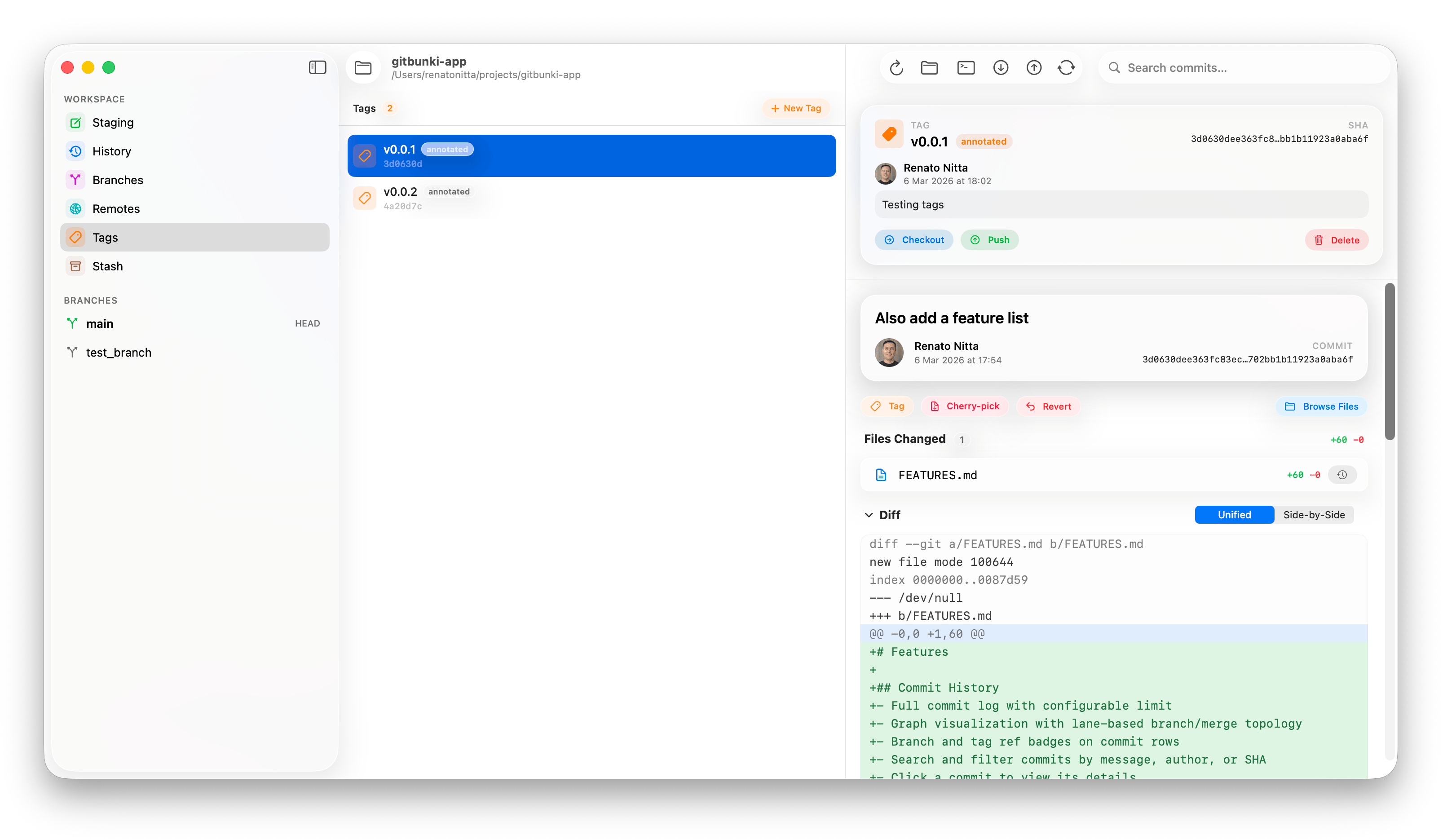
Create tags on HEAD or any commit, push individually, see annotation messages and tagger info in a dedicated detail panel.
Save it for later
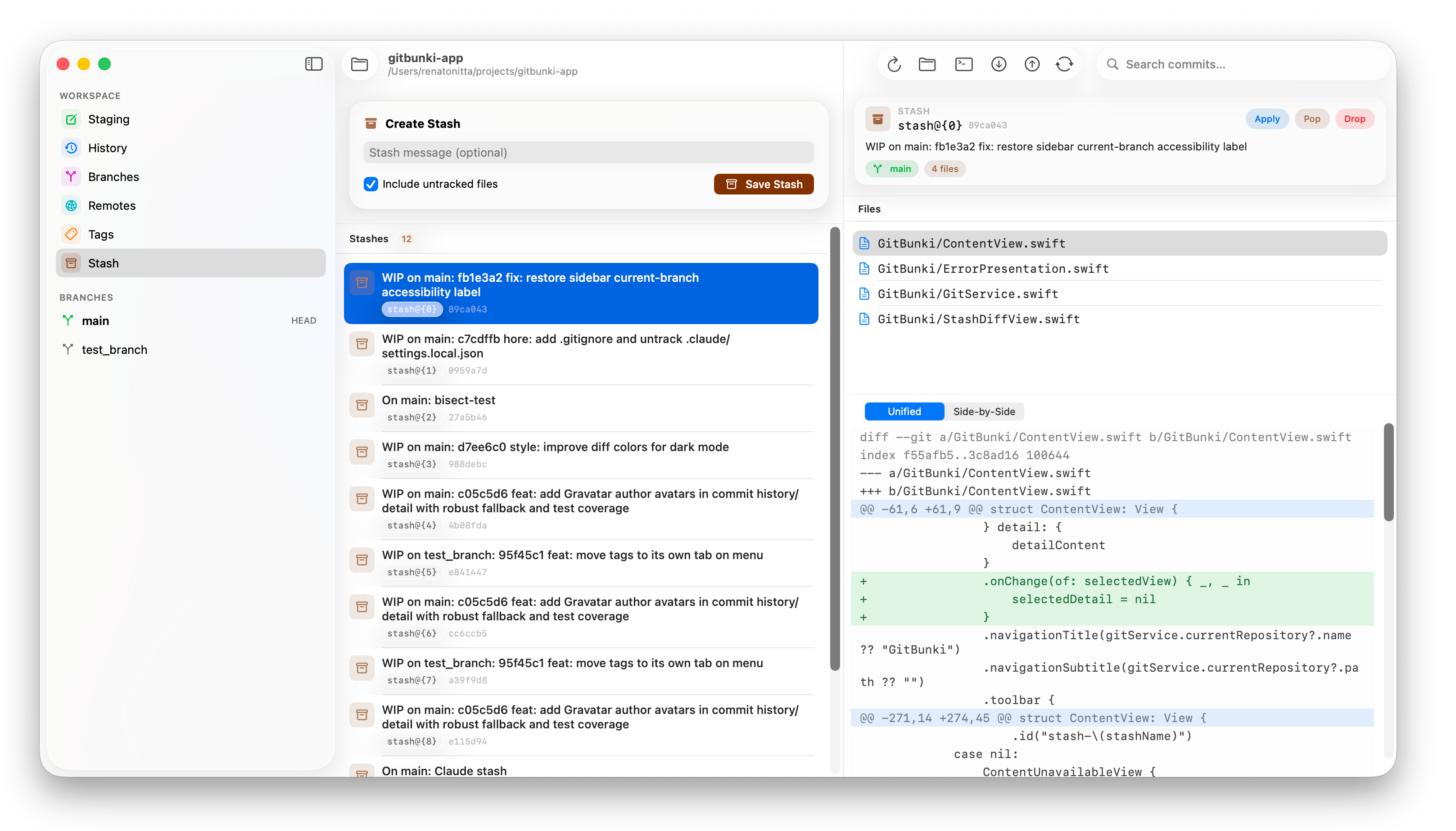
Stash with optional message, include untracked files, then apply / pop / drop from the detail panel with diffs you can actually read.
Add, rename, edit
Manage configured remotes in a dedicated tab. Multi-remote repos are first-class. Fetch from all with one click.
Per-line context
Author, date, SHA, and summary on every line. Click any SHA to jump to that commit's detail.
Just this file
Filter the log to a single path. Available from commit detail and the tree browser.
A panel for every thing.
Pick a branch, a tag, or a stash on the left, and the right panel reshapes itself to the actions that make sense for what you selected.
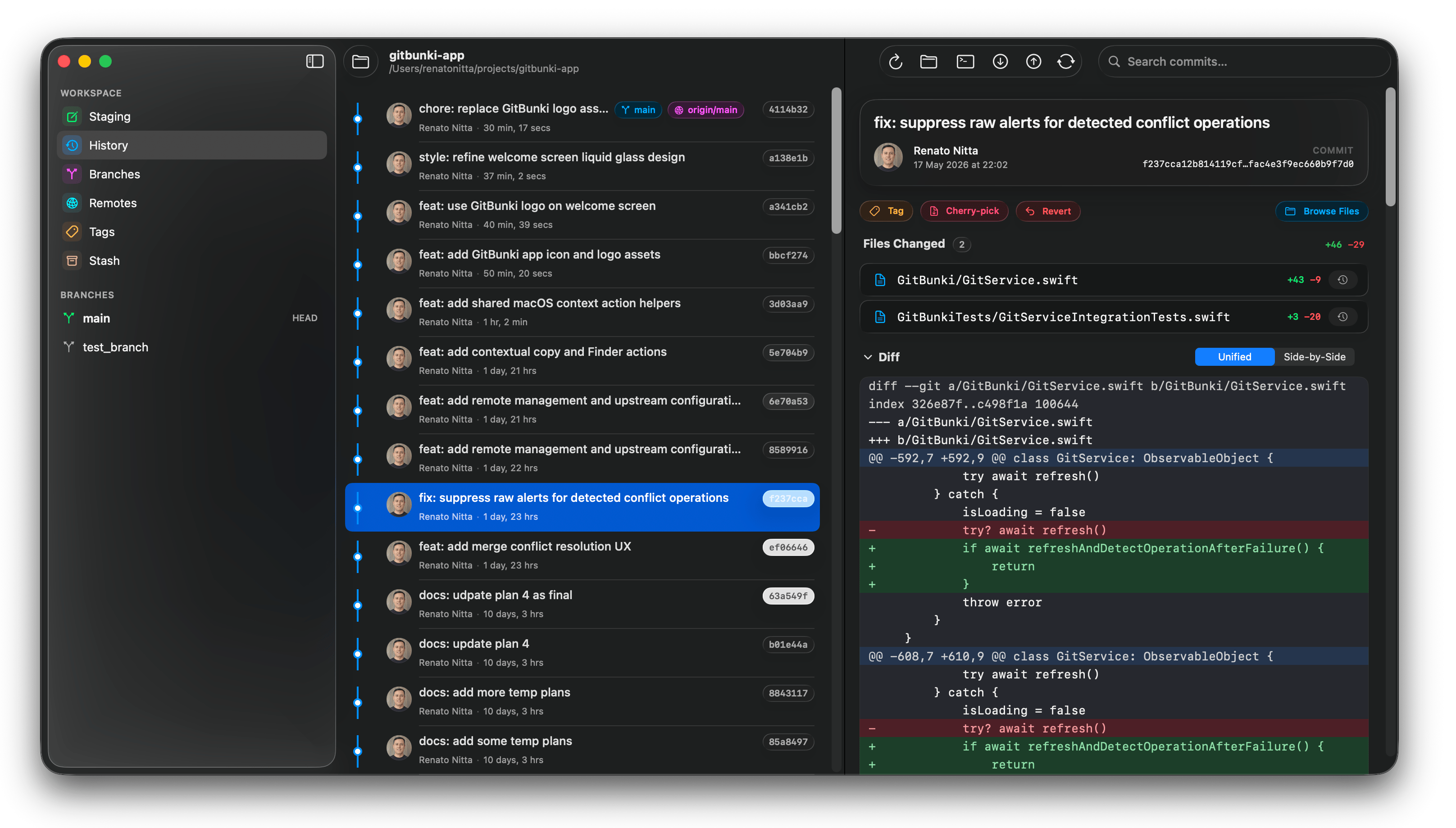
Daylight or moonlight.
Follows your system theme. Carefully tuned diff colors that hold up at 2 AM, when most of this is probably happening anyway.
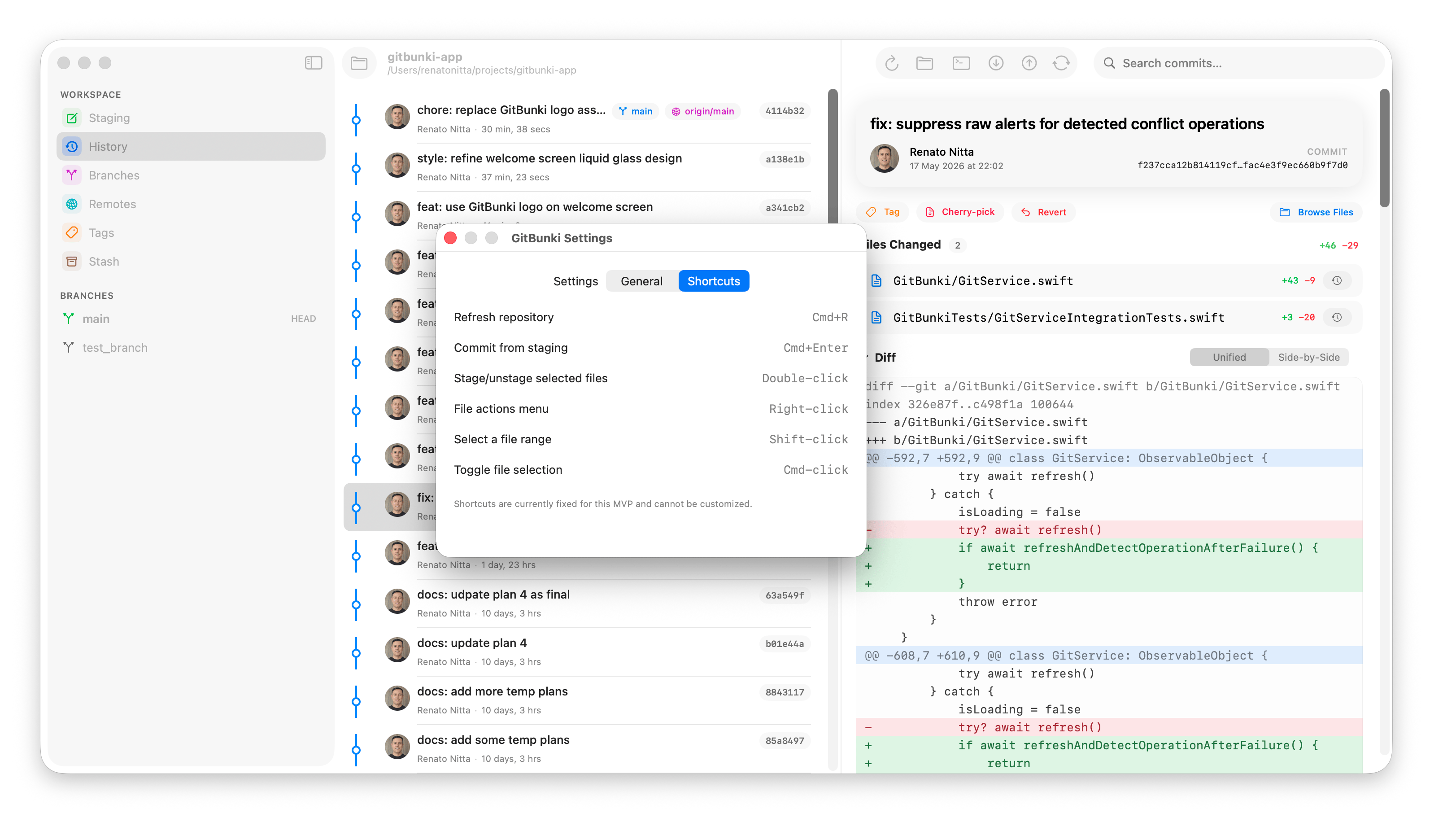
For the keyboard people.
A short, opinionated set of shortcuts for the things you do twenty times a day, plus a Settings pane to see all of them in one place.
Rebase without
the cold sweat.
Interactive rebase, reset (soft / mixed / hard), continue / skip / abort, all with actionable errors. Hard reset gets a destructive confirmation that names the commit it's about to land on. No more git reflog panic.
Interactive rebase
Launch Git's todo editor from any commit in history.
Continue · skip · abort
Resume an in-progress rebase from the UI.
Reset modes
Soft, mixed, and hard, with destructive confirmation.
Conflict guidance
Friendly errors for dirty trees, detached HEAD, missing refs.
Cherry-pick & revert
From the commit detail, with one click.
Merge strategies
Auto, no-fast-forward, fast-forward-only.
Built in the open.
A snapshot of what's landed in the last few weeks as the app comes together.
-
2026-07-09
Released on the Mac App Store · GitBunki 1.0 is live and available for download
-
2026-07-09
App Store review completed · Apple approved GitBunki for the macOS App Store
-
Jun 1 – Jun 30
Testing with macOS-first developers · feedback on real-world repos and edge cases
-
2026-05-29
QA pass · end-to-end smoke runs on large repos · stress-tested rebase / merge / conflict flows
-
2026-05-28
Code review · tightened error messages, accessibility identifiers, and SwiftUI view boundaries before the audit
-
2026-05-27
About screen in the app · diff panel now clears after staging files · public feedback site at GitBunki/gitbunki-feedback for bug reports and ideas
-
2026-05-26
Build 2 cut · new Git tab in Settings with Name / Email for commit author identity · persisted across launches and injected via
GIT_AUTHOR_*env vars so the sandboxed app authors commits correctly -
2026-05-25
Performance & polish pass · optimistic stage / unstage with batched
git add .· LazyVStack for big diffs · in-place detail-panel refreshes · word-level diff highlights · dedicated light/dark diff themes · Liquid Glass primary buttons · Settings split into General / Shortcuts / Terminal with copyablegitbunkilauncher snippet · ⌘↩ to commit -
2026-05-19
Website launched · landing page on Rails 8 + Tailwind 4 · email waitlist with honeypot, time-trap, and rate-limit defenses · deployed via Kamal
-
2026-05-18
GitBunki logo · branch-motif icon with green and yellow nodes · macOS app icon sizes generated
-
2026-04-28
Right-side detail panels for stash / tag / branch · contextual empty states · context-menu copy and Finder reveal actions throughout
-
2026-04-18
Remotes tab · add / rename / remove / edit fetch URLs · multi-remote parsing · fetch from all · upstream configuration from the Branches context menu
-
2026-04-08
Branch workflows · merge (auto / no-ff / ff-only) · rebase current onto ref · reset (soft / mixed / hard) with destructive confirmation · drop stash action
-
2026-04-02
Interactive rebase · continue / skip / abort from the UI · cherry-pick & revert from commit detail · amend last commit · gravatar avatars in history
-
2026-03-05
Blame view with per-line author, date, and commits · tree browser with file content preview · pointer cursor and double-click navigation
-
2026-03-04
GitX-style staging layout · hunk and line-level staging · commit graph with lane topology · branch/tag ref badges · double-click to stage
-
2026-03-03
Initial release · open repos via folder picker · commit history with search · staging with commit · pull / push / fetch · three-column NavigationSplitView
Stay in the loop.
GitBunki is built by a developer, for developers.
Join the mailing list to hear about new releases, and help shape the roadmap with your feedback, bug reports, and ideas.
macOS 26+ · Only new releases and product updates.
Join the discussion
Share ideas, ask questions, and shape the roadmap alongside other GitBunki users on GitHub Discussions.
GitBunki/gitbunki-feedback · DiscussionsReport bugs & request features
Hit a snag or have a wishlist item? Open an issue and we'll dig in. We read every report.
GitBunki/gitbunki-feedback
Hop in.
GitBunki is available today on the Mac App Store. One-time purchase — no subscription, no account, no telemetry.
$29.99 · one-time purchase
Requires macOS 26 Tahoe or later · Git at /usr/bin/git